


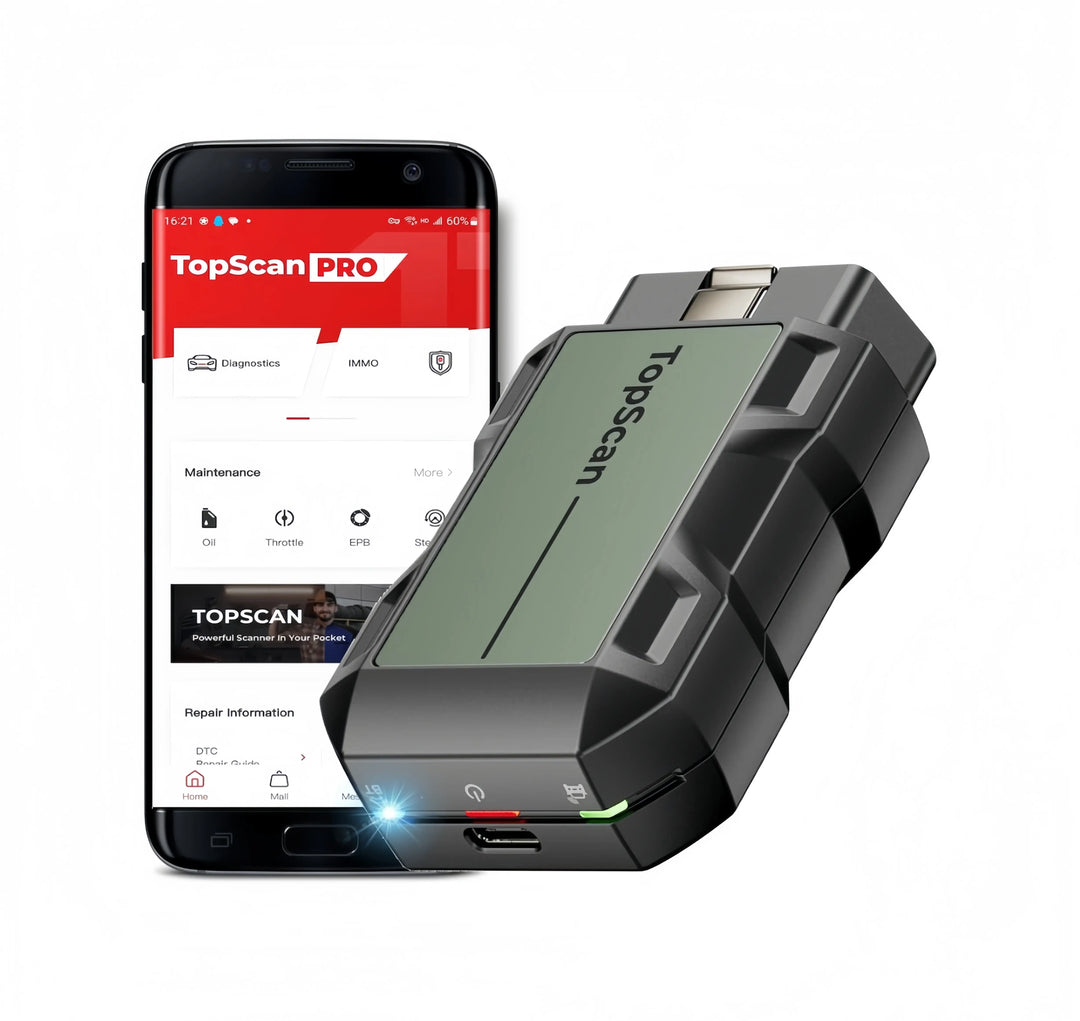


01.
READ & CLEAR FAULT CODES
Check engine lights, read and clear DTCs, and view live data without visiting a workshop.
02.
SERVICE RESETS & MAINTENANCE
Perform common maintenance functions such as oil reset, EPB, BMS, DPF and injector coding on supported vehicles.
03.
ADVANCED DIAGNOSTICS
Choose higher-level tools for all-system diagnostics, active tests, ECU coding and wider vehicle coverage.
Find the Right Diagnostic Tool for DIY & Garage Use
Compare our most popular diagnostic tools for DIY users, advanced home garages and entry-level workshop use.
| Product | Best For | Connection | Free Updates | Key Advantage |
|---|---|---|---|---|
| TOPDON TopScan Pro | Phone-based DIY diagnostics | Bluetooth dongle + mobile app | 1 year included | Compact app-based scanner for quick checks, basic maintenance and everyday diagnostics |
| TOPDON ArtiDiag500 | Budget-conscious DIY users who mainly need 4-system diagnostics | Wired tablet | Lifetime free updates | Best entry-level TOPDON tablet for engine, transmission, ABS and airbag checks, with 6 useful reset functions |
| TOPDON ArtiDiag600 S | DIY users who do regular maintenance and want more reset functions | Wired tablet | Lifetime free updates | Higher-spec TOPDON 4-system scanner with CAN-FD support, 9 maintenance services and wider vehicle brand coverage |
| Launch CRP129X | DIY users who prefer the Launch platform for 4-system diagnostics | Wired tablet | Lifetime free updates | Launch alternative to AD500/AD600S, with 4-system diagnostics and common service reset functions for passenger car DIY use |
| TOPDON ArtiDiag 800BT2 | Advanced DIY & small workshops | Bluetooth VCI | Lifetime free updates | Strong value for full-system diagnostics and Active Test |
| TOPDON ArtiDiag Pro | Home garages and entry-level workshop use | Wired tablet | 2 years free updates | Full-system wired diagnostic tablet for users who prefer stable cable connection and a more professional workflow |
| TOPDON ArtiDiag 900BT | Advanced DIY users, mobile repair and small garage use | Bluetooth VCI | 2 years free updates | Wireless diagnostic tablet with ECU coding and bi-directional control support on compatible vehicles |
| Launch CRP919X-BT | Full-system diagnostics | Bluetooth VCI | 2 years free updates | Launch wireless full-system scanner with service functions and coding support on compatible vehicles |
| Autel MaxiCOM MK808S | Advanced DIY users, home garages and small repair shops | Wired tablet | 1 year included | Autel 808-series full-system scanner with active tests and special functions on supported vehicles |
Note: Diagnostic coverage and service functions vary by vehicle make, model year and installed control modules. If you need a specific function, please send us your VIN before ordering.
Coverage Guide
Vehicle Compatibility & Coverage
Before purchase, you can send us your VIN number and the function you need, such as EPB reset, BMS reset, injector coding, DPF regeneration or active test. Our team will help check compatibility before you order.
*Functions may vary depending on vehicle make, model, year, and installed control units.
BMW
BMW
Volkswagen
Audi
Mercedes-Benz
Porsche
Ford
Opel
Renault
Peugeot
Volvo
Fiat
Citroën
Software Updates & Subscription
Software update policies vary by model. Some scanners include lifetime free updates, while others include 2 years of free updates. In most cases, the installed software can still be used after the free update period ends.
What happens after the free update period ends?
After the free update period ends, you can continue using the software version already installed on the device. Most basic diagnostic and maintenance functions can still be used normally, including reading and clearing fault codes, viewing live data, performing supported Active Tests, and using supported service functions.
Do I need a subscription to continue using the device?
No. The device does not require a mandatory subscription to keep working. Renewing the update service is optional and mainly gives you access to future software updates, new vehicle coverage, and supported online features.
Which features may require an active update service?
Some functions that require a server connection may be limited after the update period ends. This may include diagnostics for certain vehicles that require online server access, security gateway unlocking functions, and some special online-only functions. Functions that do not require a server connection can continue to work with the installed software version.
Can I renew the update service later if I do not renew immediately?
Yes. If you choose not to renew the update service after the free update period ends, you can still renew it later when needed.
After renewal, you can access the available software updates, new vehicle coverage, and supported online features included in the update service at that time.
How do I renew my device updates in Europe?
You can renew your device updates directly through our TopTool store link.
After purchase, please send us your device model and serial number (SN), and our support team will activate the update in the TopDON system for you.
FAQs
You can read and clear fault codes, check live data, view ECU information and diagnose warning lights. Higher-level tools also support service resets, active tests and ECU coding.
For basic DIY use, TopScan Pro, ArtiDiag 500 or ArtiDiag 600S are good starting points. If you need full-system diagnostics or active tests, consider ArtiDiag 800BT2, MK808S or higher.
Some tools only support basic OBD2 or selected systems, while higher-level tools support full-system diagnostics. Please check the product description or contact us with your VIN.
Yes, on supported vehicles. Common service functions include oil reset, EPB reset, BMS reset, DPF regeneration, injector coding, SAS reset and ABS bleeding.
Send us your VIN, vehicle year and the function you need. We can help verify compatibility before purchase.